Apple’s macOS platform is widely admired for its stability, sleek interface, and tight integration between hardware and software. From trackpads to Magic Mouse, Apple builds tools that feel elegant and functional. However, professional users often demand far more precision and flexibility than macOS’s built-in options allow. By default, macOS provides only a few adjustments for mouse speed and scrolling, leaving many creative professionals, gamers, and power users wanting more.
Enter SteerMouse, a long-standing third-party utility that offers advanced customization. This tool empowers users to control acceleration, sensitivity, and button mapping with accuracy far beyond Apple’s defaults. For those in design, coding, data analysis, or gaming, the ability to adjust cursor behavior precisely can save time, reduce errors, and improve overall comfort.
Yet with each macOS release, concerns arise. Apple continuously strengthens security and modifies system frameworks, sometimes breaking older drivers or utilities. As macOS transitions from Intel to Apple Silicon and adds strict security requirements, users frequently ask: Is SteerMouse still compatible?
This guide provides a complete answer. We will examine SteerMouse’s current compatibility with the latest macOS, highlight its most useful features, explain the installation process, address common issues with troubleshooting steps, and recommend viable alternatives. By the end, you will know exactly how SteerMouse fits into today’s macOS ecosystem.
SteerMouse Compatibility with Latest macOS
Official Compatibility Updates
The developers behind SteerMouse actively maintain the software, releasing updates whenever Apple launches a major macOS version. Every new macOS release introduces changes to input device handling and system security. For example, system extension requirements have become stricter, forcing utilities like SteerMouse to adapt quickly. The developer consistently provides updated builds to restore full functionality within weeks of Apple’s updates.
User Reports and Real-World Testing
Community feedback from forums such as Reddit, MacRumors, and Apple Discussions reveals that SteerMouse works well on modern macOS versions, including those running on Apple Silicon chips like the M1 and M2. Users occasionally report minor issues such as temporary scroll lag, buttons resetting to defaults, or profiles disappearing after updates. However, once the latest SteerMouse driver is installed, performance stabilizes and the software works reliably.
Key Takeaway
Yes — SteerMouse is compatible with the latest macOS. Minor bugs may surface immediately after a new release, but patches quickly restore full functionality. To ensure stability, users should keep SteerMouse updated and consider delaying macOS upgrades until compatibility is confirmed.
Features of SteerMouse on macOS
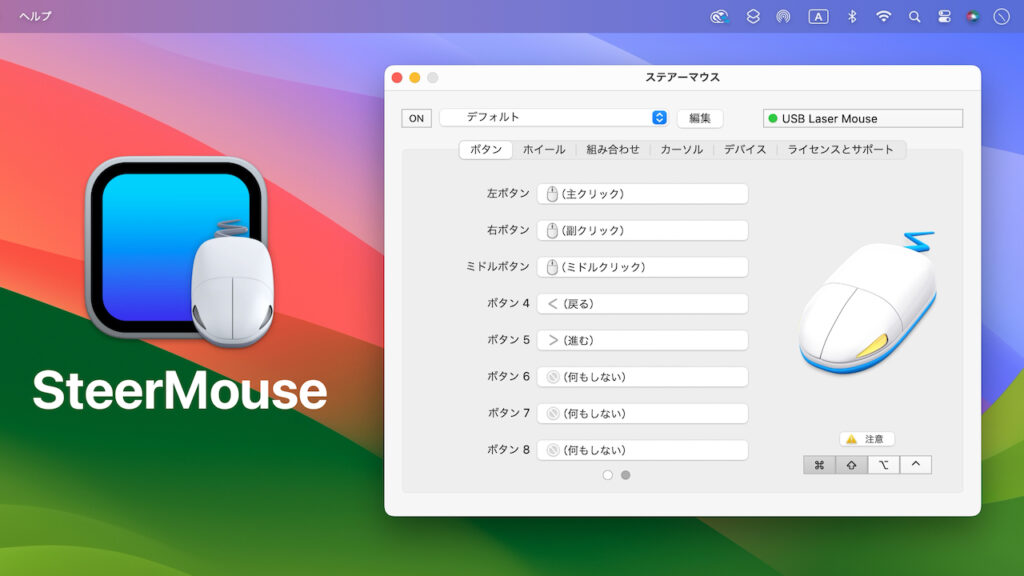
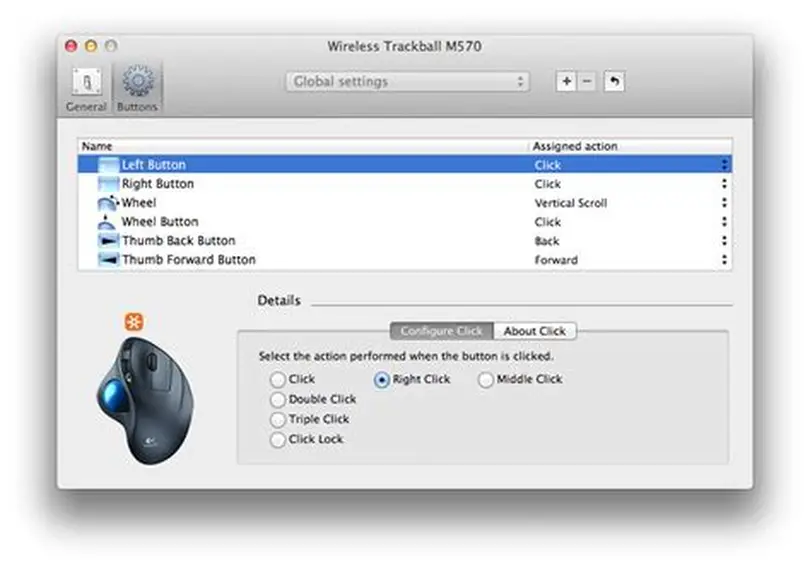
Advanced Button Customization
SteerMouse expands what your mouse can do. Instead of limiting buttons to clicks or navigation, you can assign:
- System commands like Exposé, Mission Control, or Spotlight
- Application shortcuts such as copy, paste, or save
- Macros combining multiple commands in sequence
- Media functions including play, pause, and volume
Gamers assign critical in-game abilities to side buttons, while video editors map playback controls to speed up editing.
Adjustable Cursor Speed
One of SteerMouse’s strongest features is separating cursor acceleration from sensitivity. With macOS defaults, both are tied together, limiting flexibility. SteerMouse lets users:
- Disable acceleration for consistent aiming in games
- Slow the cursor for design tasks requiring pixel-perfect control
- Increase sensitivity for large displays or multitasking setups
This precision helps professionals in CAD, Photoshop, and video production maintain accuracy and speed.
Scroll Behavior Tuning
SteerMouse allows scrolling to be customized globally or per app. Examples include:
- Smooth scrolling for web browsing
- Slower scrolling for Excel spreadsheets
- Fast navigation for PDFs or long documents
With SteerMouse, your mouse adapts to each task instead of forcing one universal behavior.
Benefits of Using SteerMouse
Productivity Enhancement
By mapping frequent commands to mouse buttons, users eliminate the need for repetitive keyboard shortcuts. Office workers assign “new tab” or “close window” to side buttons, developers create shortcuts for compiling code, and researchers map copy-paste actions to reduce manual effort. These small optimizations add up to significant time savings.
Improved Gaming and Creative Work
Gamers enjoy consistent aiming when acceleration is disabled, eliminating unpredictable cursor jumps. Creative professionals gain smoother control when editing fine details, preventing errors and improving precision. Whether you are adjusting paths in Illustrator or trimming frames in Final Cut Pro, SteerMouse ensures movement feels natural and predictable.
Accessibility Advantages
SteerMouse also supports users with mobility limitations. Assigning frequently used commands to easy-to-reach buttons reduces physical strain. For individuals with repetitive strain injury or limited hand movement, this level of customization can make computing significantly more comfortable.
Installation and Setup Process
Download and Installation Steps
To install SteerMouse:
- Go to the official SteerMouse website
- Download the latest version for your macOS
- Move it to the Applications folder
- Launch the app and follow setup prompts
- Restart your Mac for activation
Permission and Security Settings
Because macOS restricts third-party drivers, users must grant permissions in System Settings > Privacy & Security. SteerMouse requires approval for:
- Accessibility
- Input Monitoring
- System Extensions
Without these permissions, button mapping and advanced features will not function.
Updating for Stability
Apple frequently releases system updates, which can disrupt SteerMouse until patches arrive. Users should enable the app’s built-in update checker and install patches promptly. Many professionals choose to delay updating macOS until they confirm SteerMouse compatibility.
Common Issues and Troubleshooting
Frequent Compatibility Issues
Common challenges include:
- Buttons resetting after macOS updates
- Cursor skipping after sleep mode
- Scroll-wheel acting erratically in Safari or Chrome
These typically occur when permissions are missing or the driver is outdated.
Solutions for Problems
To resolve issues:
- Install the newest driver from the official site
- Re-add SteerMouse under Accessibility settings
- Restart your Mac after installation
- Reset preferences if problems persist
Preventive Practices
Prevent issues by:
- Backing up SteerMouse profiles before updating macOS
- Avoiding beta versions unless testing intentionally
- Monitoring user forums for compatibility reports
Alternatives to SteerMouse on macOS
USB Overdrive
USB Overdrive is a lightweight alternative supporting mice, keyboards, and gamepads. It provides strong customization without overwhelming complexity.
Why choose it?
- Broad device support
- Simple interface
- Affordable license
BetterTouchTool
BetterTouchTool goes beyond mouse support, enabling gesture customization and automation across devices.
Key strengths include:
- Powerful automation tools
- Custom gestures for trackpads and Magic Mouse
- Frequent updates to support new macOS releases
ControllerMate
ControllerMate is designed for advanced users who want maximum flexibility. Its modular, scripting-based approach allows deep customization.
Best suited for:
- Gamers with complex profiles
- Professionals with specialized workflow needs
- Users comfortable with scripting interfaces
FAQs
Does SteerMouse support Apple Silicon (M1/M2)?
Yes, it has been updated to work with Apple Silicon Macs.
Is SteerMouse free?
No, it is paid software, but a free trial is available.
Does SteerMouse work with gaming mice?
Yes, though vendor-specific features like RGB lighting may require proprietary drivers.
How often is SteerMouse updated?
The developer releases patches after major macOS versions and for bug fixes.
Does SteerMouse impact performance?
No, it uses very little CPU or memory.
Will settings reset after macOS upgrades?
Sometimes. Export profiles before upgrading to avoid loss.
Is SteerMouse better than macOS defaults?
Yes, it provides much deeper customization.
Does it support Bluetooth mice?
Yes, most Bluetooth and USB mice work seamlessly.
Is it safe to install?
Yes, if downloaded from the official developer site.
Will it continue supporting future macOS versions?
Based on history, the developer consistently provides updates.
Conclusion
SteerMouse remains a reliable, feature-rich solution for customizing mouse behavior on macOS. It continues to support the latest versions, including Apple Silicon Macs, though occasional issues may occur after major updates. By offering advanced button mapping, cursor acceleration control, and application-specific scroll settings, it provides capabilities far beyond Apple’s defaults.
For professionals, gamers, and accessibility users, SteerMouse is invaluable. Keeping drivers updated, exporting profiles, and monitoring compatibility ensures smooth use. Alternatives such as USB Overdrive, BetterTouchTool, and ControllerMate are strong options, but SteerMouse balances power with usability. For those seeking advanced mouse control, SteerMouse remains one of the best tools available for macOS.